The Button Widget
A clickable button that wraps a child widget (typically text). Buttons trigger a callback when pressed and can be styled with custom width, height, and padding.
Interface
use super::{Length, Padding, Widget};
type Button = {
  child: &Widget,
  disabled: &bool,
  on_press: &[fn(e: null) -> Any, null],
  width: &Length,
  height: &Length,
  padding: &Padding
};

val button: fn(
  ?#on_press: [fn(e: null) -> Any, null],
  ?#width: &Length,
  ?#height: &Length,
  ?#padding: &Padding,
  ?#disabled: &bool,
  child: &Widget
) -> Widget
Parameters
#on_press– Callback invoked when the button is clicked. Receivesnullas its argument. Use the sample operator~inside the callback to capture current state at click time:|c| counter <- c ~ counter + 1. If omitted, the button is disabled: it draws as#disabled: truedoes and ignores clicks.#width– Width of the button. AcceptsLengthvalues:`Fill,`Shrink, or`Fixed(f64). Defaults to`Shrink.#height– Height of the button. SameLengthvalues as width. Defaults to`Shrink.#padding– Interior padding around the child widget. AcceptsPaddingvalues:`All(f64),`Axis({x: f64, y: f64}), or`Each({top: f64, right: f64, bottom: f64, left: f64}).#disabled– Whentrue, the button is grayed out and#on_pressis not triggered. Defaults tofalse.- positional
&Widget– The child widget displayed inside the button. Usually atextwidget.
Examples
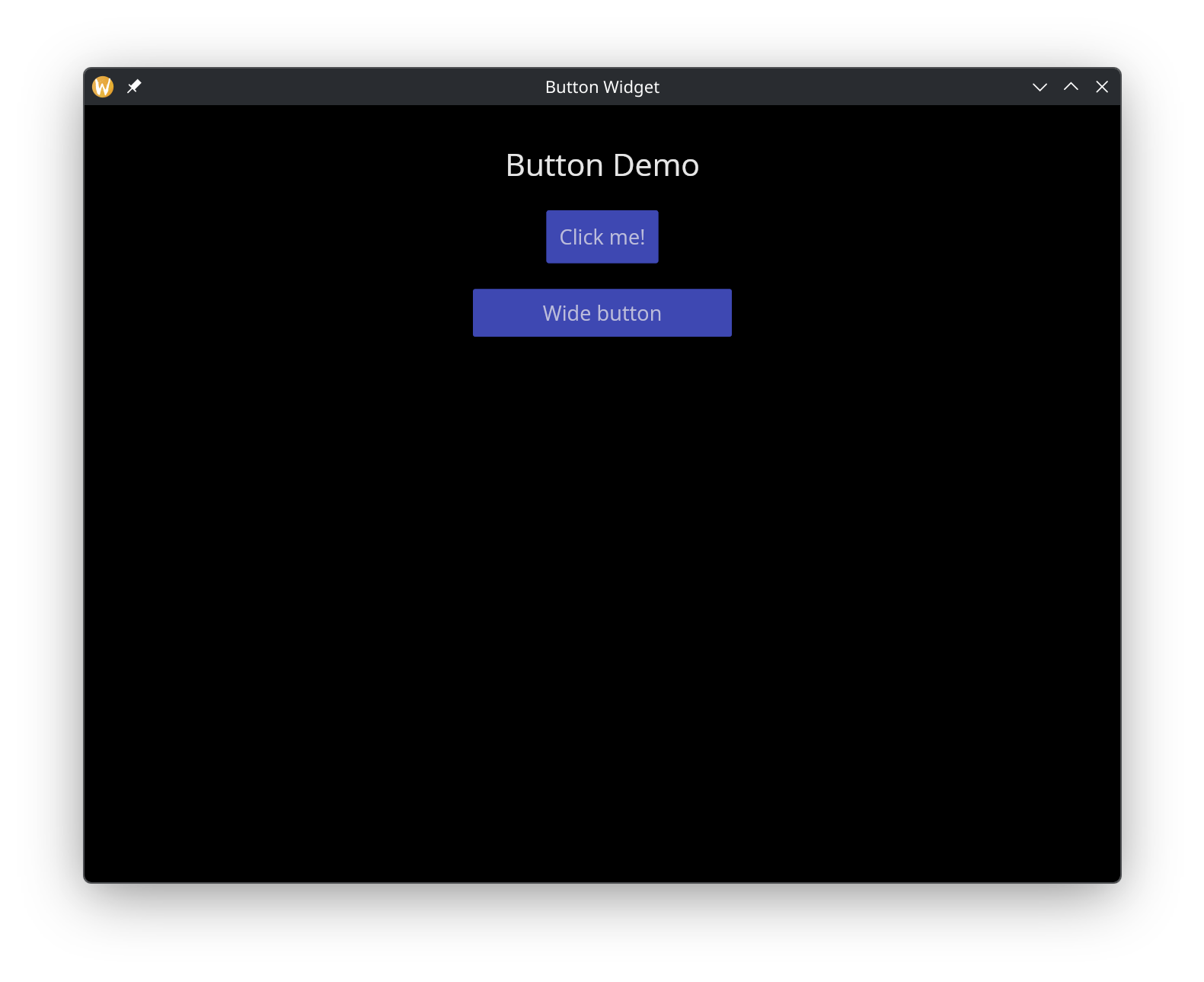
Basic Buttons
use gui::{window, button::button, column::column, text::text};
mod icon;

let b0 = button(
    #on_press: |c| println(c ~ "normal button clicked"),
    #padding: &`All(10.0),
    &text(&"Click me!")
);

let b1 = button(
    #on_press: |c| println(c ~ "wide button clicked"),
    #padding: &`All(8.0),
    #width: &`Fixed(200.0),
    &text(#halign:&`Center, &"Wide button")
);

let col = column(
    #spacing: &20.0,
    #padding: &`All(30.0),
    #halign: &`Center,
    #width: &`Fill,
    &[
        text(#size: &24.0, &"Button Demo"),
        b0,
        b1
    ]
);

[&window(#icon: &icon::icon, #title: &"Button Widget", &col)]
See Also
- text – the most common child widget for buttons
- mouse_area – for click detection on arbitrary widgets