The Mouse Area Widget
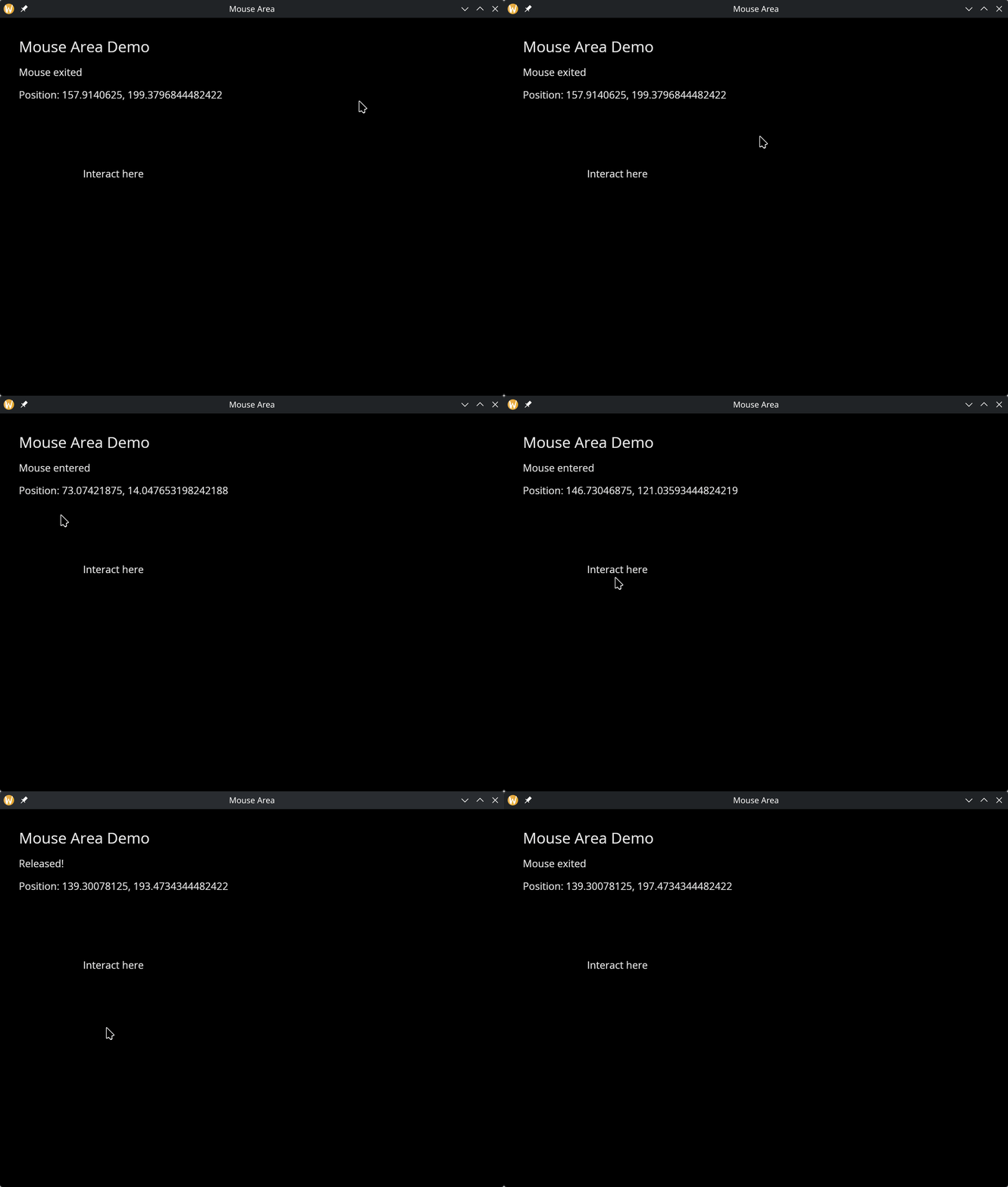
The mouse_area widget wraps a child and captures mouse events within its bounds. Use it to add click, hover, and movement tracking to any widget.
Interface
use super::Widget;
type MouseButton = [`Left, `Right, `Middle];

type MouseArea = {
  child: &Widget,
  on_press: &[fn(button: MouseButton) -> Any, null],
  on_release: &[fn(button: MouseButton) -> Any, null],
  on_enter: &[fn(e: null) -> Any, null],
  on_exit: &[fn(e: null) -> Any, null],
  on_move: &[fn(pos: {x: f64, y: f64}) -> Any, null]
};

val mouse_area: fn(
  ?#on_press: [fn(button: MouseButton) -> Any, null],
  ?#on_release: [fn(button: MouseButton) -> Any, null],
  ?#on_enter: [fn(e: null) -> Any, null],
  ?#on_exit: [fn(e: null) -> Any, null],
  ?#on_move: [fn(pos: {x: f64, y: f64}) -> Any, null],
  child: &Widget
) -> Widget
Parameters
- on_press — called when a mouse button is pressed inside the area. Receives a
MouseButtonvariant (`Left,`Right, or`Middle). - on_release — called when a mouse button is released inside the area. Receives a
MouseButtonvariant. - on_enter — called when the mouse cursor enters the area
- on_exit — called when the mouse cursor leaves the area
- on_move — called with
{x, y}coordinates as the mouse moves within the area
The positional argument is a reference to the child widget.
Examples
use gui::{
  window,
  column::column,
  container::container,
  mouse_area::mouse_area,
  text::text
};
mod icon;

let status = "Move the mouse over the box";
let position = "---";

[&window(
    #icon: &icon::icon,
    #title: &"Mouse Area",
    &column(
        #spacing: &15.0,
        #padding: &`All(30.0),
        #width: &`Fill,
        &[
            text(#size: &24.0, &"Mouse Area Demo"),
            text(&status),
            text(&"Position: [position]"),
            mouse_area(
                #on_press: |btn| status <- select btn {
                    `Left => "Left pressed",
                    `Right => "Right pressed",
                    `Middle => "Middle pressed"
                },
                #on_release: |btn| status <- select btn {
                    `Left => "Left released",
                    `Right => "Right released",
                    `Middle => "Middle released"
                },
                #on_enter: |e| status <- e ~ "Mouse entered",
                #on_exit: |e| status <- e ~ "Mouse exited",
                #on_move: |pos| position <- pos ~ "[pos.x], [pos.y]",
                &container(
                    #width: &`Fixed(300.0),
                    #height: &`Fixed(200.0),
                    #halign: &`Center,
                    #valign: &`Center,
                    &text(&"Interact here")
                )
            )
        ]
    )
)]
See Also
- Keyboard Area — keyboard event capture
- Button — simpler click handling
- Tooltip — hover-triggered popups