The Tooltip Widget
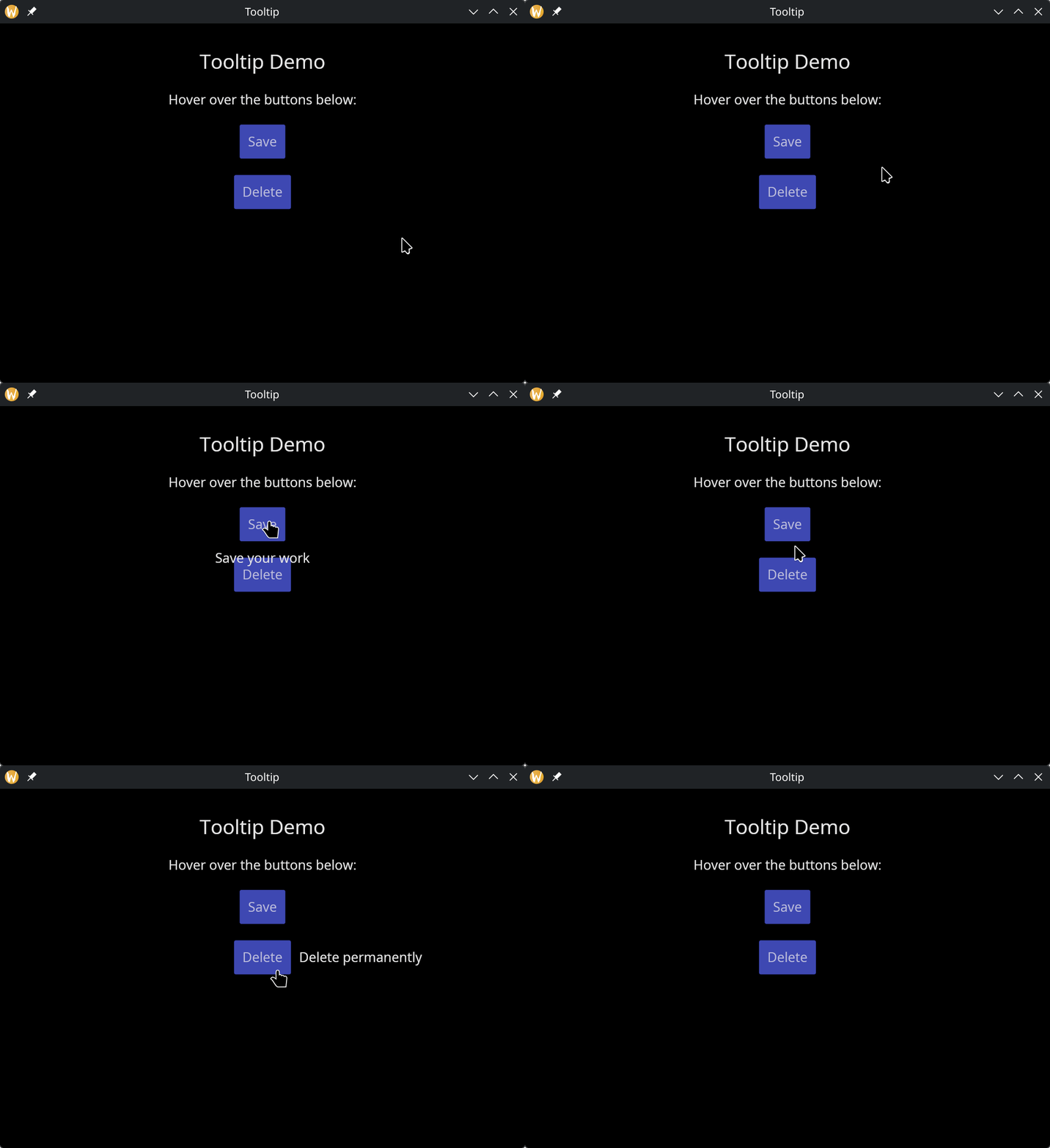
The tooltip widget displays a popup hint when the user hovers over a child widget. The tooltip content is itself a widget, allowing rich formatted tips.
Interface
use super::{TooltipPosition, Widget};
type Tooltip = {
  child: &Widget,
  tip: &Widget,
  position: &TooltipPosition,
  gap: &[f64, null]
};

val tooltip: fn(
  #tip: &Widget,
  ?#position: &TooltipPosition,
  ?#gap: &[f64, null],
  child: &Widget
) -> Widget
Parameters
- tip — (required) the tooltip content widget, typically
text(...). This is a required labeled argument. - position — where the tooltip appears relative to the child:
Top,Bottom,Left,Right, orFollowCursor - gap — space in pixels between the child and the tooltip
The positional argument is a reference to the child widget that triggers the tooltip on hover.
Examples
use gui::{window, button::button, column::column, text::text, tooltip::tooltip};
mod icon;

let col = column(
    #spacing: &20.0,
    #padding: &`All(30.0),
    #halign: &`Center,
    #width: &`Fill,
    &[
        text(#size: &24.0, &"Tooltip Demo"),
        text(&"Hover over the buttons below:"),
        tooltip(
            #tip: &text(&"Save your work"),
            #position: &`Bottom,
            #gap: &5.0,
            &button(#on_press: |_| null, #padding: &`All(10.0), &text(&"Save"))
        ),
        tooltip(
            #tip: &text(&"Delete permanently"),
            #position: &`Right,
            #gap: &5.0,
            &button(#on_press: |_| null, #padding: &`All(10.0), &text(&"Delete"))
        )
    ]
);

[&window(#icon: &icon::icon, #title: &"Tooltip", &col)]
See Also
- Button — commonly wrapped with tooltips
- Mouse Area — lower-level mouse interaction