The Row Widget
The row widget arranges child widgets horizontally from left to right. It is one of the primary layout containers, along with column.
Interface
use super::{Length, Padding, VAlign, Widget};
type Row = {
  children: &Array<Widget>,
  spacing: &f64,
  padding: &Padding,
  width: &Length,
  height: &Length,
  valign: &VAlign
};

val row: fn(
  ?#spacing: &f64,
  ?#padding: &Padding,
  ?#width: &Length,
  ?#height: &Length,
  ?#valign: &VAlign,
  children: &Array<Widget>
) -> Widget
Parameters
- spacing — horizontal space between child widgets in pixels
- padding — space around the row’s edges
- width — row width (
Fill,Shrink,Fixed(px), orFillPortion(n)) - height — row height
- valign — vertical alignment of children within the row (
Top,Center,Bottom)
The positional argument is a reference to an array of child widgets.
Examples
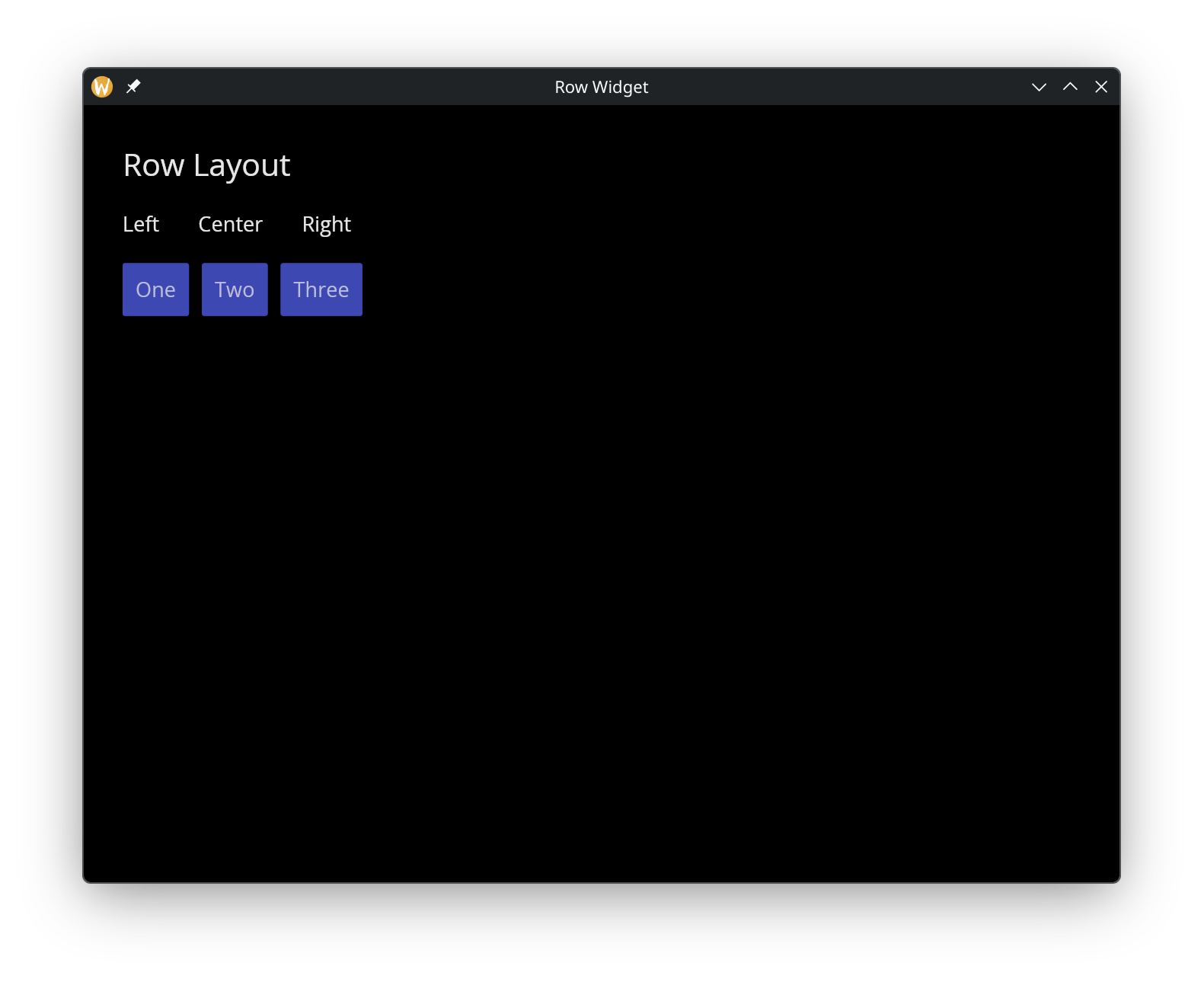
use gui::{window, button::button, column::column, row::row, text::text};
mod icon;

[&window(
  #icon: &icon::icon,
  #title: &"Row Widget",
  &column(
    #spacing: &20.0,
    #padding: &`All(30.0),
    #width: &`Fill,
    &[
      text(#size: &24.0, &"Row Layout"),
      row(
        #spacing: &30.0,
        &[
          text(&"Left"),
          text(&"Center"),
          text(&"Right")
        ]
      ),
      row(
        #spacing: &10.0,
        #valign: &`Center,
        &[
          button(#on_press: |_| null, #padding: &`All(10.0), &text(&"One")),
          button(#on_press: |_| null, #padding: &`All(10.0), &text(&"Two")),
          button(#on_press: |_| null, #padding: &`All(10.0), &text(&"Three"))
        ]
      )
    ]
  )
)]
See Also
- Column — vertical layout
- Container — single-child alignment and padding
- Space & Rules — spacing and dividers within layouts