Space & Rules
Space and rules are layout utilities for controlling whitespace and adding visual dividers between widgets.
Space
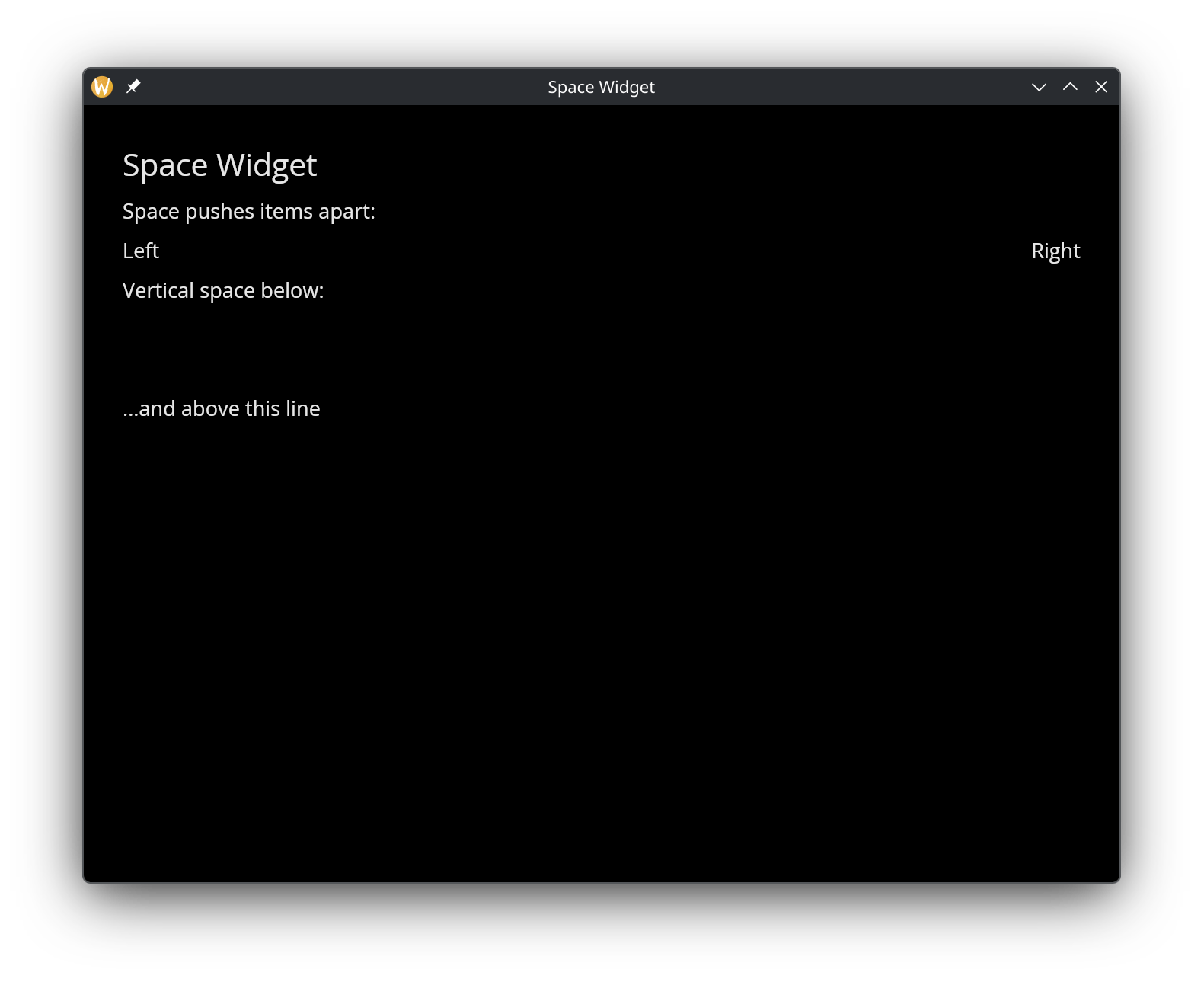
The space widget creates empty space with configurable dimensions. Use it to push widgets apart within a row or column.
Interface
use super::{Length, Widget};
type Space = {
  width: &Length,
  height: &Length
};

val space: fn(
  ?#width: &Length,
  ?#height: &Length
) -> Widget
Parameters
- width — horizontal size of the space
- height — vertical size of the space
A common pattern is space(#width: &Fill)` to push items to opposite ends of a row.
Example
use gui::{window, column::column, row::row, space::space, text::text};
mod icon;

[&window(
  #icon: &icon::icon,
  #title: &"Space Widget",
  &column(
    #spacing: &10.0,
    #padding: &`All(30.0),
    #width: &`Fill,
    &[
      text(#size: &24.0, &"Space Widget"),
      text(&"Space pushes items apart:"),
      row(
        #width: &`Fill,
        &[
          text(&"Left"),
          space(#width: &`Fill),
          text(&"Right")
        ]
      ),
      text(&"Vertical space below:"),
      space(#height: &`Fixed(50.0)),
      text(&"...and above this line")
    ]
  )
)]
Rules
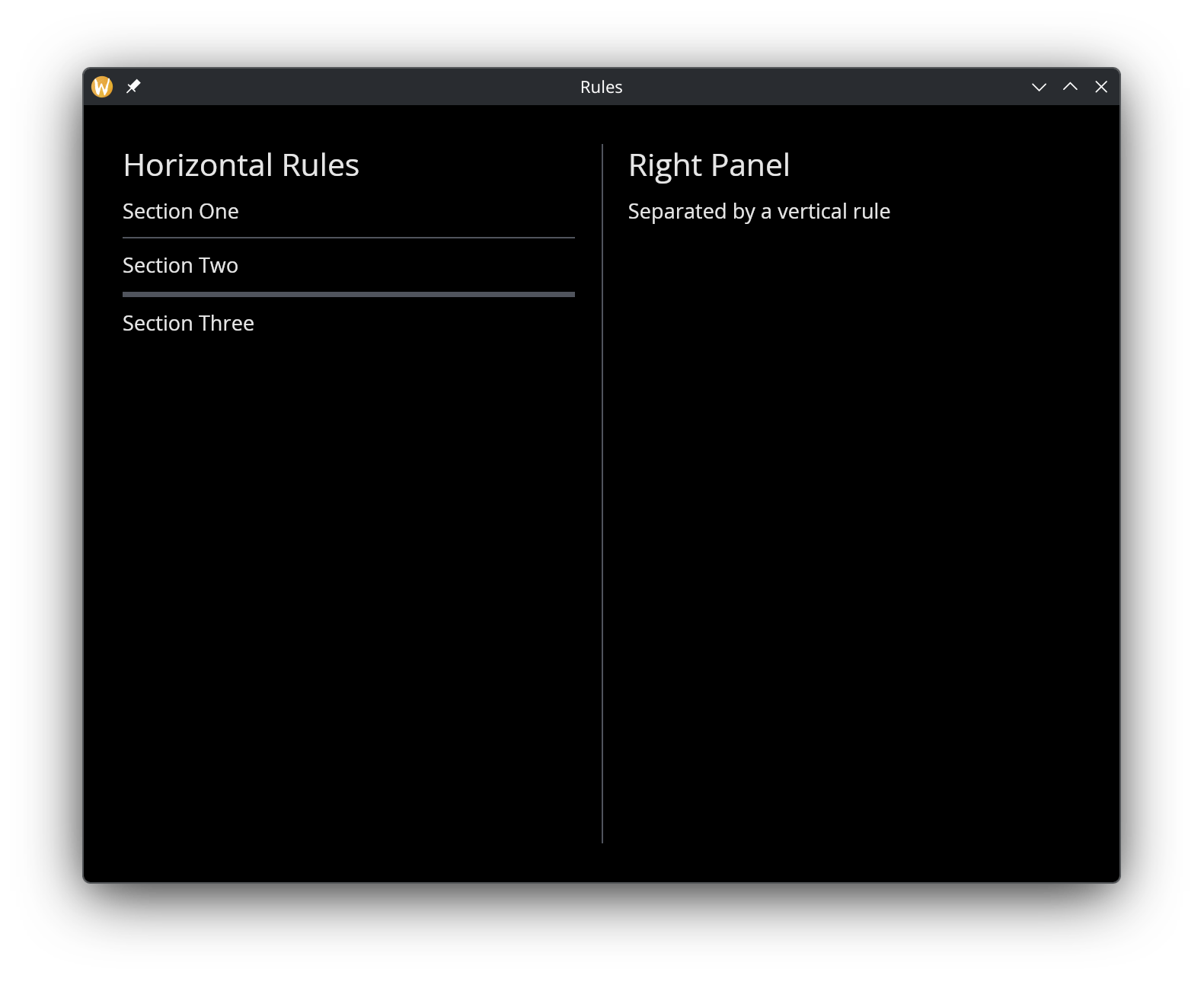
Rules draw horizontal or vertical lines to visually separate content.
Interface
use super::Widget;
type HorizontalRule = { height: &f64 };
type VerticalRule = { width: &f64 };

val horizontal_rule: fn(?#height: &f64) -> Widget;
val vertical_rule: fn(?#width: &f64) -> Widget
Parameters
- height (horizontal_rule) — thickness of the horizontal line in pixels
- width (vertical_rule) — thickness of the vertical line in pixels
Example
use gui::{
  window,
  column::column,
  row::row,
  rule::{horizontal_rule, vertical_rule},
  text::text
};
mod icon;

[&window(
    #icon: &icon::icon,
    #title: &"Rules",
    &row(
        #spacing: &20.0,
        #padding: &`All(30.0),
        #width: &`Fill,
        #height: &`Fill,
        &[
            column(
                #spacing: &10.0,
                #width: &`Fill,
                &[
                    text(#size: &24.0, &"Horizontal Rules"),
                    text(&"Section One"),
                    horizontal_rule(),
                    text(&"Section Two"),
                    horizontal_rule(#height: &4.0),
                    text(&"Section Three")
                ]
            ),
            vertical_rule(),
            column(
                #spacing: &10.0,
                #width: &`Fill,
                &[
                    text(#size: &24.0, &"Right Panel"),
                    text(&"Separated by a vertical rule")
                ]
            )
        ]
    )
)]
See Also
- Column — vertical layout where rules serve as dividers
- Row — horizontal layout where vertical rules separate sections
- Scrollable — rules work well between scrollable list items