The Slider Widgets
Graphix provides three related widgets for numeric values within a range: slider (horizontal), vertical_slider, and progress_bar (display-only).
Slider
A horizontal slider that lets the user select a floating-point value by dragging a handle along a track.
Interface
use super::{Length, Widget};
type Slider = {
  disabled: &bool,
  value: &f64,
  min: &f64,
  max: &f64,
  step: &[f64, null],
  on_change: &[fn(v: f64) -> Any, null],
  on_release: &[fn(e: null) -> Any, null],
  width: &Length,
  height: &[f64, null]
};

val slider: fn(
  ?#min: &f64,
  ?#max: &f64,
  ?#step: &[f64, null],
  ?#on_change: [fn(v: f64) -> Any, null],
  ?#on_release: [fn(e: null) -> Any, null],
  ?#width: &Length,
  ?#height: &[f64, null],
  ?#disabled: &bool,
  value: &f64
) -> Widget
Parameters
#min– Minimum value of the range. Defaults to0.0.#max– Maximum value of the range. Defaults to100.0.#step– Snap increment. When set, every value the slider sends is#minplus a whole number of steps, never past#max, and with the pointer over the track Up/Down arrows and Ctrl+wheel move one step.nullmeans continuous dragging, and then Up/Down and Ctrl+wheel move by one percent of the range.#on_change– Callback invoked as the handle is dragged. Receives the currentf64value. Typically:#on_change: |v| volume <- v.#on_release– Callback invoked when the user releases the handle. Receivesnull. Useful for committing a value only after the user finishes adjusting.#width– Width of the slider track. AcceptsLengthvalues. Defaults to`Fill.#height– Height of the slider track in pixels, ornullfor the default height.#disabled– Whentrue, the slider cannot be dragged. Defaults tofalse.- positional
&f64– Reference to the current value. Must be within the#min..#maxrange.
A range with #min > #max or a non-finite bound displays an empty, inert track. Neither #on_change nor #on_release fires for that range.
Vertical Slider
A vertical slider – identical to slider but oriented top-to-bottom. Note the width and height types are swapped: #width is &[f64, null] (fixed pixels) and #height is &Length (layout-based).
Interface
use super::{Length, Widget};
type VerticalSlider = {
  disabled: &bool,
  value: &f64,
  min: &f64,
  max: &f64,
  step: &[f64, null],
  on_change: &[fn(v: f64) -> Any, null],
  on_release: &[fn(e: null) -> Any, null],
  width: &[f64, null],
  height: &Length
};

val vertical_slider: fn(
  ?#min: &f64,
  ?#max: &f64,
  ?#step: &[f64, null],
  ?#on_change: [fn(v: f64) -> Any, null],
  ?#on_release: [fn(e: null) -> Any, null],
  ?#width: &[f64, null],
  ?#height: &Length,
  ?#disabled: &bool,
  value: &f64
) -> Widget
Parameters
Same as slider except:
#width– Width of the slider track in pixels, ornullfor the default width. This is&[f64, null], not&Length.#height– Height of the slider track. AcceptsLengthvalues (`Fill,`Shrink,`Fixed(f64)). This is&Length, not&[f64, null].
Progress Bar
A non-interactive horizontal bar that fills proportionally to a value within a range. Use it to display progress, levels, or any metric that the user should see but not control.
Interface
use super::{Length, Widget};
type ProgressBar = {
  value: &f64,
  min: &f64,
  max: &f64,
  width: &Length,
  height: &[f64, null]
};

val progress_bar: fn(
  ?#min: &f64,
  ?#max: &f64,
  ?#width: &Length,
  ?#height: &[f64, null],
  value: &f64
) -> Widget
Parameters
#min– Minimum value of the range. Defaults to0.0.#max– Maximum value of the range. Defaults to100.0.#width– Width of the bar. AcceptsLengthvalues. Defaults to`Fill.#height– Height of the bar in pixels, ornullfor the default height.- positional
&f64– Reference to the current value. The bar fills proportionally between#minand#max.
Examples
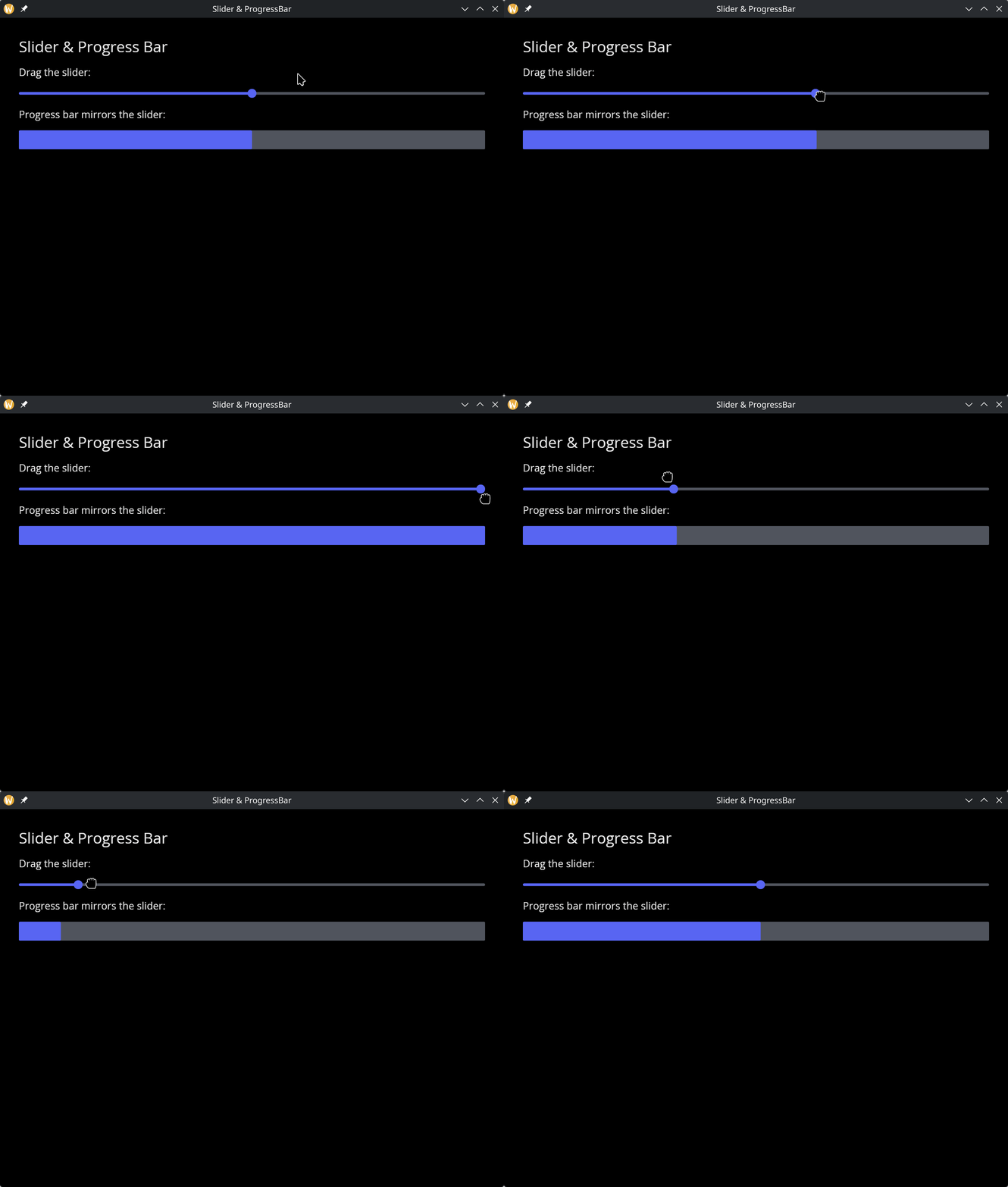
Slider & Progress Bar
use gui::{
  window,
  column::column,
  progress_bar::progress_bar,
  slider::slider,
  text::text
};
mod icon;

let volume = 50.0;

let col = column(
    #spacing: &15.0,
    #padding: &`All(30.0),
    #width: &`Fill,
    &[
        text(#size: &24.0, &"Slider & Progress Bar"),
        text(&"Drag the slider:"),
        slider(#min: &0.0, #max: &100.0, #on_change: |v| volume <- v, &volume),
        text(&"Progress bar mirrors the slider:"),
        progress_bar(#min: &0.0, #max: &100.0, &volume)
    ]
);

[&window(#icon: &icon::icon, #title: &"Slider & ProgressBar", &col)]
Vertical Slider
use gui::{
  window,
  column::column,
  row::row,
  text::text,
  vertical_slider::vertical_slider
};
mod icon;

let value = 50.0;

[&window(
    #icon: &icon::icon,
    #title: &"Vertical Slider",
    &row(
        #spacing: &30.0,
        #padding: &`All(30.0),
        #height: &`Fill,
        #valign: &`Center,
        &[
            column(
                #spacing: &10.0,
                &[
                    text(#size: &24.0, &"Vertical Slider"),
                    text(&"Value: [value]")
                ]
            ),
            vertical_slider(
                #min: &0.0,
                #max: &100.0,
                #on_change: |v| value <- v,
                #height: &`Fixed(200.0),
                &value
            )
        ]
    )
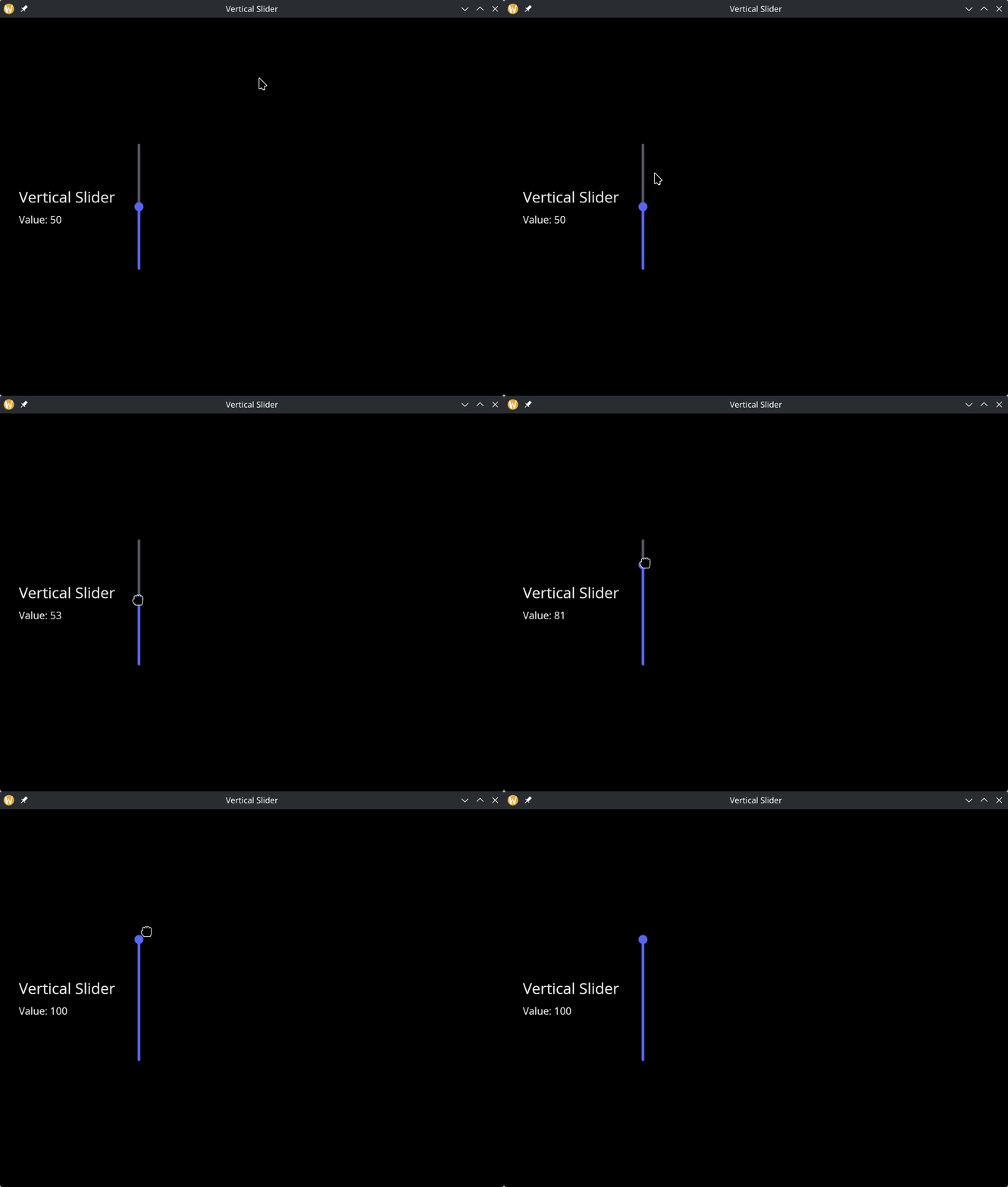
)]
See Also
- text_input – for entering numeric values as text
- types – for
Lengthand other shared types