The Radio Widget
A radio button for single-select choices within a group. Each radio widget represents one option. When the currently selected value matches this radio’s value, the button is filled. Clicking an unselected radio triggers the #on_select callback.
Interface
use super::{Length, Widget};
/// A radio of any value type: `on_select` is called with `value`.
type Radio = {
  disabled: &bool,
  value: &Any,
  label: &string,
  on_select: &[fn(v: Any) -> Any, null],
  selected: &[Any, null],
  width: &Length,
  size: &[f64, null],
  spacing: &[f64, null]
};

/// A non-null #size must be finite, positive and at most 4096 pixels.
val radio: fn(
  #label: &string,
  ?#selected: &['a, null],
  ?#on_select: [fn(v: 'a) -> Any, null],
  ?#width: &Length,
  ?#size: &[f64, null],
  ?#spacing: &[f64, null],
  ?#disabled: &bool,
  value: &'a
) -> Widget
Parameters
#label(required) – Text displayed next to the radio button. Unlike most labeled arguments in GUI widgets, this one is not optional – every radio button must have a label.#selected– Reference to the currently selected value, ornullfor none. When this value equals the positional value, the radio button appears filled. Pass the same reference to every radio in the group so they stay in sync.#on_select– Callback invoked when this radio is clicked. Receives this radio’s value (the positional argument). Typically:#on_select: |v| selection <- v.#width– Width of the widget (radio button plus label). AcceptsLengthvalues.#size– Size of the radio circle in pixels, ornullfor the default size.#spacing– Gap in pixels between the radio circle and the label text, ornullfor the default spacing.#disabled– Whentrue, the radio button is grayed out and cannot be selected. Defaults tofalse.- positional
value: &'a– The value this radio button represents. When the user clicks this radio,#on_selectreceives this value. The radio appears selected when#selectedequals this value.
Examples
Radio Group
use gui::{window, column::column, radio::radio, text::text};
mod icon;

let size: [`Small, `Medium, `Large] = `Medium;
let dir: [`Vertical, `Horizontal] = `Vertical;

let col = column(
    #spacing: &15.0,
    #padding: &`All(30.0),
    #width: &`Fill,
    &[
        text(#size: &24.0, &"Radio Button Demo"),
        text(&"Choose a size: [size]"),
        radio(#label: &"Small",  #selected: &size, #on_select: |v| size <- v, &`Small),
        radio(#label: &"Medium", #selected: &size, #on_select: |v| size <- v, &`Medium),
        radio(#label: &"Large",  #selected: &size, #on_select: |v| size <- v, &`Large),
        text(&"Choose a direction: [dir]"),
        radio(#label: &"Vertical",  #selected: &dir, #on_select: |v| dir <- v, &`Vertical),
        radio(#label: &"Horizontal", #selected: &dir, #on_select: |v| dir <- v, &`Horizontal),
    ]
);

[&window(#icon: &icon::icon, #title: &"Radio Buttons", &col)]
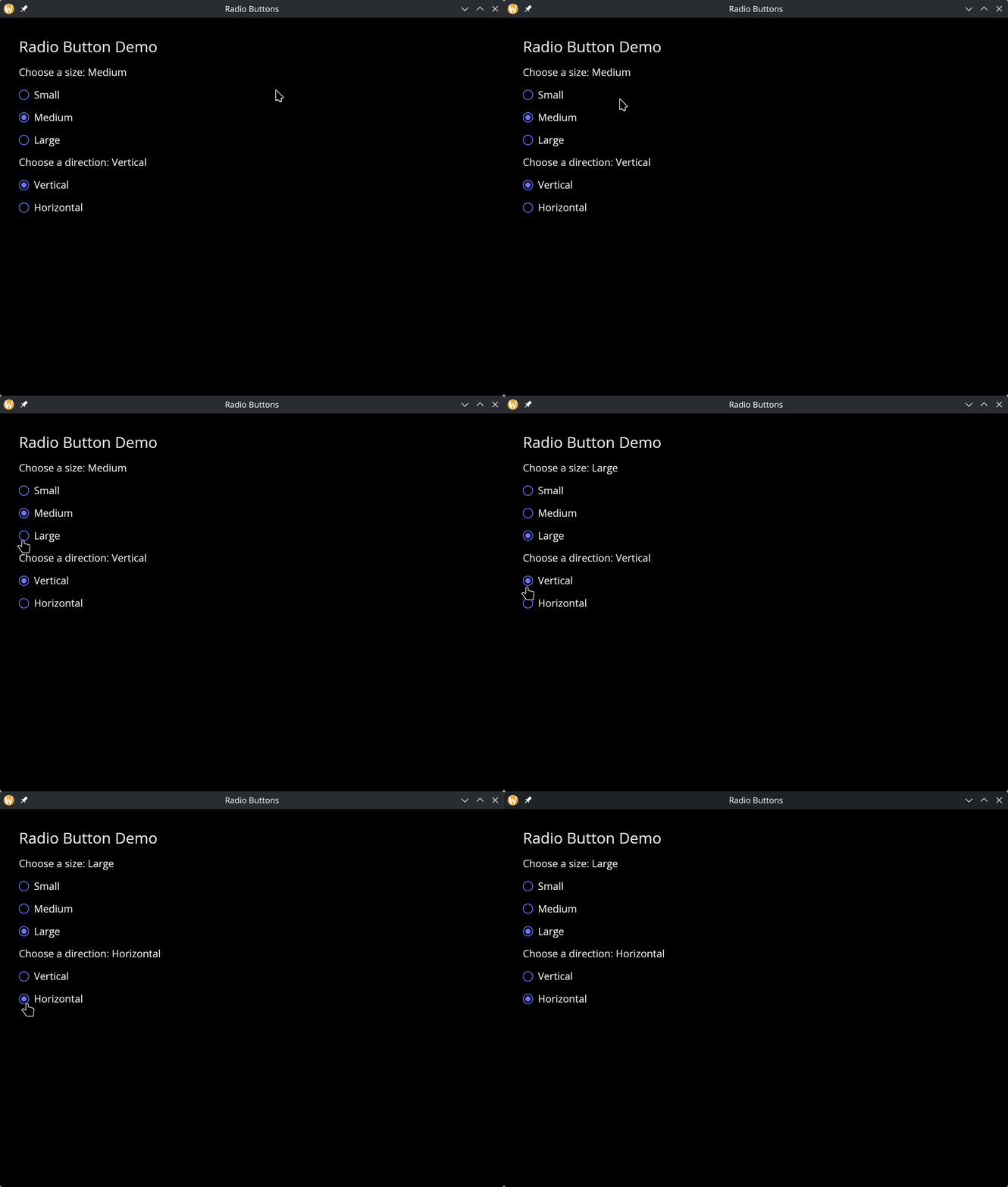
Every radio in a group and its #selected share one type, here the variant [`Small, `Medium, `Large].