The Text Editor Widget
A multi-line text editing area for longer-form content. Unlike text_input, which handles a single line, text_editor supports multiple lines of text with scrolling. It reports the full content string on every edit.
Interface
use super::{Font, Padding, Widget};
type TextEditor = {
  content: &string,
  disabled: &bool,
  on_edit: &[fn(s: string) -> Any, null],
  placeholder: &string,
  width: &[f64, null],
  height: &[f64, null],
  padding: &Padding,
  font: &[Font, null],
  size: &[f64, null]
};

/// A non-null #size must be finite, positive and at most 4096 pixels.
val text_editor: fn(
  ?#placeholder: &string,
  ?#on_edit: [fn(s: string) -> Any, null],
  ?#width: &[f64, null],
  ?#height: &[f64, null],
  ?#padding: &Padding,
  ?#font: &[Font, null],
  ?#size: &[f64, null],
  ?#disabled: &bool,
  content: &string
) -> Widget
Parameters
#placeholder– Hint text displayed when the editor is empty.#on_edit– Callback invoked on every edit. Receives the full content as astring. Use with<-to keep state in sync:#on_edit: |v| content <- v. Without#on_editthe editor is read-only, as a disabled one is.#width– Width in pixels asf64, ornullfor automatic sizing. Note: this is&[f64, null], not&Length– the text editor uses fixed pixel dimensions rather than the layout-basedLengthtype.#height– Height in pixels asf64, ornullfor automatic sizing. Same&[f64, null]type as width.#padding– Interior padding around the text content. AcceptsPaddingvalues.#font– Font to use, ornullfor the default font.#size– Font size in pixels, ornullfor the default size.#disabled– Whentrue, edits are refused; the text can still be scrolled, selected and copied. Defaults tofalse.- positional
&string– Reference to the current content. The editor displays this text and you update it from the#on_editcallback.
Examples
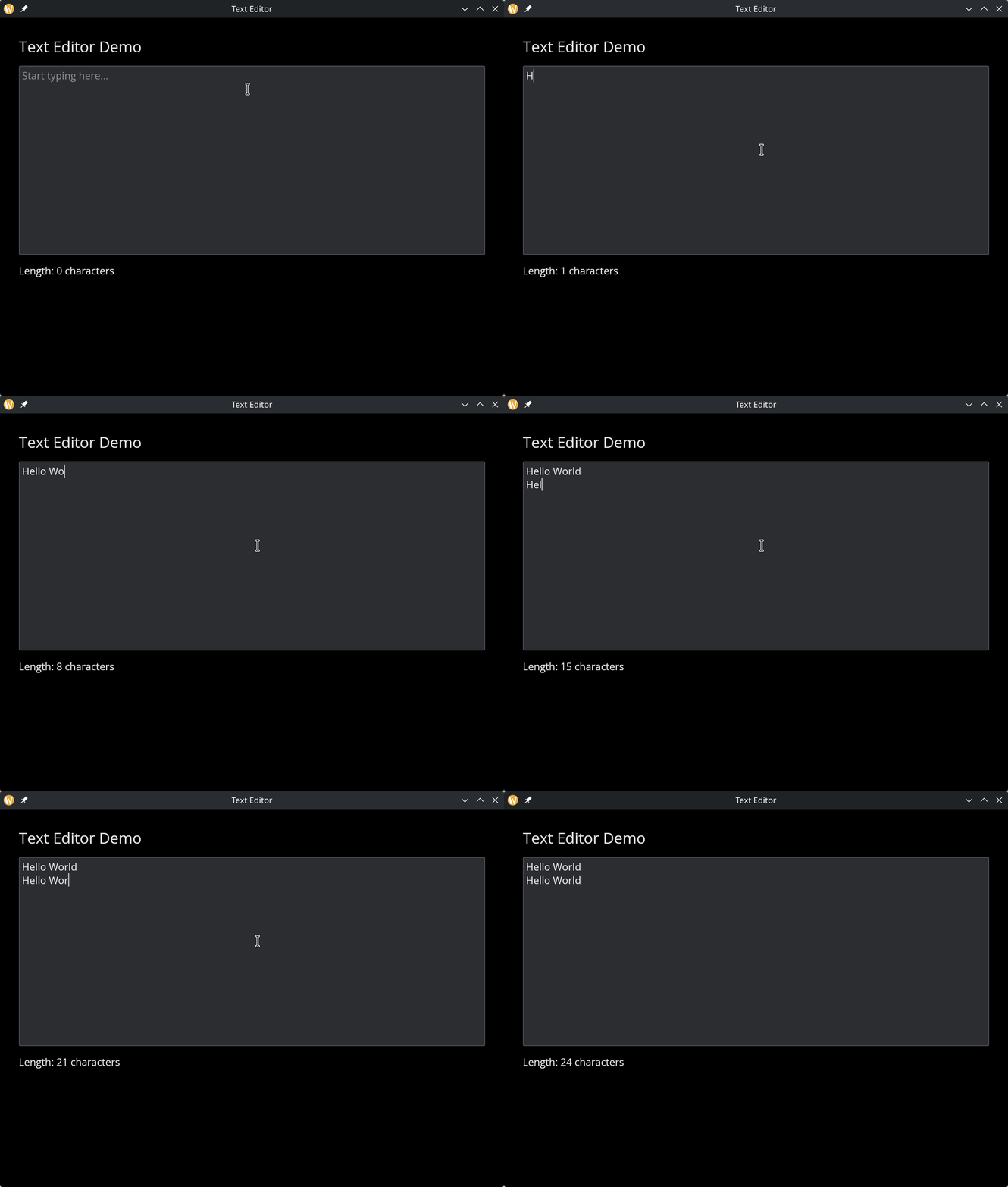
Basic Text Editor
use gui::{window, column::column, text::text, text_editor::text_editor};
mod icon;

let content = "";

let col = column(
    #spacing: &15.0,
    #padding: &`All(30.0),
    #width: &`Fill,
    #height: &`Fill,
    &[
        text(#size: &24.0, &"Text Editor Demo"),
        text_editor(
            #placeholder: &"Start typing here...",
            #on_edit: |v| content <- v,
            #height: &300.0,
            &content
        ),
        text(&"Length: [str::char_len(content)] characters")
    ]
);

[&window(#icon: &icon::icon, #title: &"Text Editor", &col)]
See Also
- text_input – single-line text input
- text – read-only text display