The Clipboard Module
The clipboard module provides functions for reading from and writing to the system clipboard. Unlike other GUI components, clipboard is a plain module of functions, not a widget constructor.
Interface
type ClipboardImage = { height: u32, pixels: bytes, width: u32 };
type HtmlContent = { alt_text: string, html: string };

/// Read text from the system clipboard. Fires each time `trigger` updates.
val read_text: fn(trigger: Any) -> Result<string, `ClipboardError(string)>;
/// Write text to the system clipboard.
val write_text: fn(text: string) -> Result<null, `ClipboardError(string)>;
/// Read an RGBA8 image from the system clipboard.
val read_image: fn(trigger: Any) -> Result<ClipboardImage, `ClipboardError(string)>;
/// Write an RGBA8 image to the system clipboard.
val write_image: fn(image: ClipboardImage) -> Result<null, `ClipboardError(string)>;
/// Read HTML from the system clipboard.
val read_html: fn(trigger: Any) -> Result<string, `ClipboardError(string)>;
/// Write HTML to the system clipboard.
val write_html: fn(content: HtmlContent) -> Result<null, `ClipboardError(string)>;
/// Read file paths from the system clipboard.
val read_files: fn(trigger: Any) -> Result<Array<string>, `ClipboardError(string)>;
/// Write file paths to the system clipboard.
val write_files: fn(files: Array<string>) -> Result<null, `ClipboardError(string)>;
/// Clear the system clipboard.
val clear: fn(trigger: Any) -> Result<null, `ClipboardError(string)>
Functions
Text
- read_text — reads text from the clipboard. Takes an event trigger (
Any) to control when the read happens. - write_text — writes a string to the clipboard.
Images
- read_image — reads an image from the clipboard as a
ClipboardImagecontaining raw pixel data. - write_image — writes a
ClipboardImageto the clipboard.
HTML
- read_html — reads HTML content from the clipboard.
- write_html — writes HTML content with alt text to the clipboard.
Files
- read_files — reads file paths from the clipboard (e.g. from a file manager copy).
- write_files — writes file paths to the clipboard.
Utility
- clear — clears all clipboard contents.
All read functions take an Any argument as an event trigger — they execute when the trigger fires. All functions return Result types that may contain a ClipboardError.
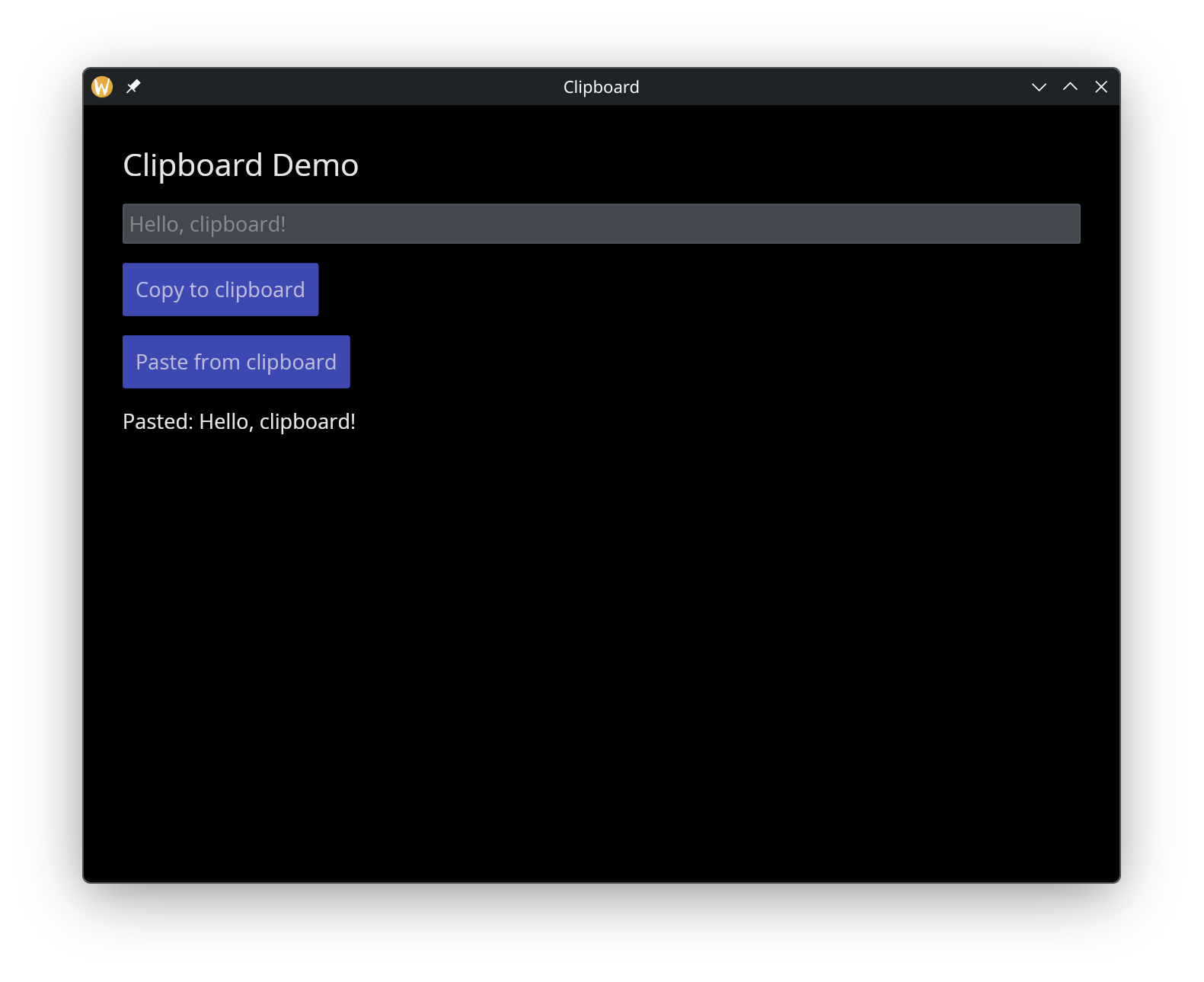
Examples
use gui::{
  clipboard, window,
  button::button,
  column::column,
  text::text,
  text_input::text_input
};
mod icon;

let content = "Hello, clipboard!";
let pasted = "";

let col = column(
    #spacing: &15.0,
    #padding: &`All(30.0),
    #width: &`Fill,
    &[
        text(#size: &24.0, &"Clipboard Demo"),
        text_input(#placeholder: &"Text to copy...", #on_input: |v| content <- v, &content),
        button(
            #on_press: |c| clipboard::write_text(c ~ content)$,
            #padding: &`All(10.0),
            &text(&"Copy to clipboard")
        ),
        button(
            #on_press: |c| pasted <- clipboard::read_text(c)$,
            #padding: &`All(10.0),
            &text(&"Paste from clipboard")
        ),
        text(&"Pasted: [pasted]")
    ]
);

[&window(#icon: &icon::icon, #title: &"Clipboard", &col)]
See Also
- Button — commonly used to trigger clipboard operations
- Text Input — text entry for clipboard content