The Markdown Widget
Renders a markdown string as rich text with support for headings, bold, italic, lists, code blocks, and clickable links.
Interface
use super::{Length, Widget};
type Markdown = {
  content: &string,
  on_link: &[fn(url: string) -> Any, null],
  spacing: &[f64, null],
  text_size: &[f64, null],
  width: &Length
};

/// A non-null #text_size must be finite, positive and at most 4096 pixels.
val markdown: fn(
  ?#on_link: [fn(url: string) -> Any, null],
  ?#spacing: &[f64, null],
  ?#text_size: &[f64, null],
  ?#width: &Length,
  content: &string
) -> Widget
Parameters
#on_link– Callback invoked when the user clicks a link in the rendered markdown. Receives the URL as astring. If omitted, links are displayed but not interactive.#spacing– Vertical space in pixels between markdown elements (paragraphs, headings, lists), ornullfor the default spacing.#text_size– Base text size in pixels, ornullfor the default. Headings scale relative to this size.#width– Width of the markdown content area. AcceptsLengthvalues. Defaults to`Fill.- positional
&string– The markdown source text to render.
Examples
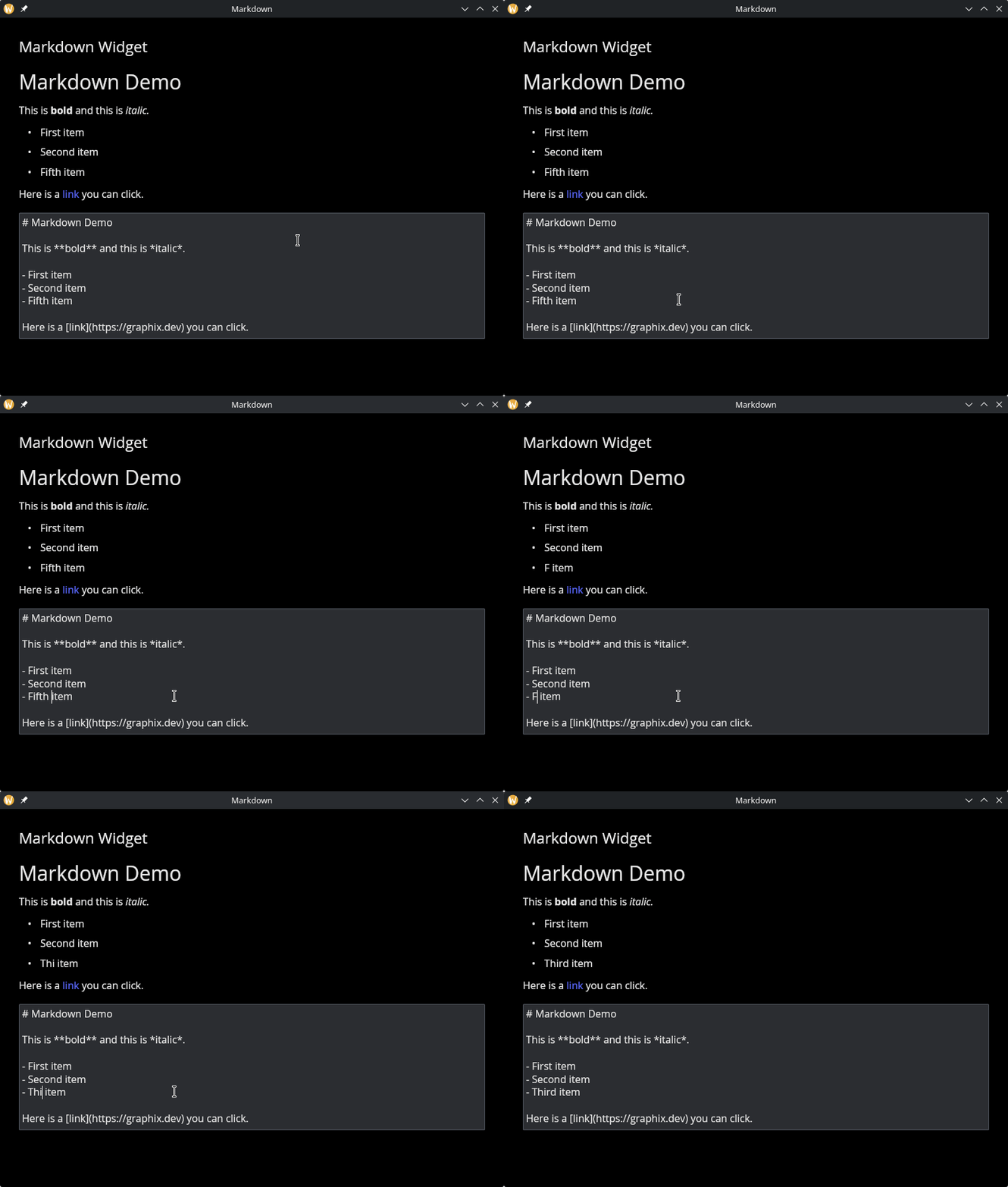
Rendered Markdown with Link Callback
use gui::{
  window,
  column::column,
  markdown::markdown,
  text::text,
  text_editor::text_editor
};
mod icon;

let content = r"# Markdown Demo

This is **bold** and this is *italic*.

- First item
- Second item
- Fifth item

Here is a [link](https://graphix-lang.github.io/graphix) you can click.
";

let col = column(
    #spacing: &20.0,
    #padding: &`All(30.0),
    #width: &`Fill,
    &[
        text(#size: &24.0, &"Markdown Widget"),
        markdown(
            #on_link: |url| println("Clicked: [url]"),
            #text_size: &16.0,
            &content
        ),
        text_editor(
            #on_edit: |v| content <- v,
            #height: &200.0,
            &content
        )
    ]
);

[&window(#icon: &icon::icon, #title: &"Markdown", &col)]
See Also
- text – for plain text display
- text_editor – for editing text content