The Block Widget
The block widget is a container that wraps other widgets with optional borders, titles, and styling. It’s one of the most commonly used widgets for creating structured layouts and visually separating different sections of your TUI.
Interface
use super::{Alignment, Line, Size, Style, Tui};
type Border = [
  `Top,
  `Right,
  `Bottom,
  `Left
];

type BorderType = [
  `Plain,
  `Rounded,
  `Double,
  `Thick,
  `QuadrantInside,
  `QuadrantOutside
];

type Padding = {
  bottom: i64,
  left: i64,
  right: i64,
  top: i64
};

type Position = [
  `Top,
  `Bottom
];

type MergeStrategy = [
    `Replace,
    `Exact,
    `Fuzzy
];

type Block = {
  border: &[Array<Border>, `All, `None, null],
  border_style: &[Style, null],
  border_type: &[BorderType, null],
  child: &Tui,
  merge_borders: &[MergeStrategy, null],
  padding: &[Padding, null],
  size: [&mut Size, null],
  style: &[Style, null],
  title: &[Line, null],
  title_alignment: &[Alignment, null],
  title_bottom: &[Line, null],
  title_position: &[Position, null],
  title_style: &[Style, null],
  title_top: &[Line, null]
};

val block: fn(
  ?#border: &[Array<Border>, `All, `None, null],
  ?#border_type: &[BorderType, null],
  ?#border_style: &[Style, null],
  ?#merge_borders: &[MergeStrategy, null],
  ?#padding: &[Padding, null],
  ?#style: &[Style, null],
  ?#title: &[Line, null],
  ?#title_top: &[Line, null],
  ?#title_bottom: &[Line, null],
  ?#title_style: &[Style, null],
  ?#title_position: &[Position, null],
  ?#title_alignment: &[Alignment, null],
  ?#size: [&mut Size, null],
  child: &Tui
) -> Tui;
Parameters
- border - Which sides have a border:
`All,`None, or an array of sides, e.g.&[`Top, `Left](one side alone is still an array,&[`Top]) - border_style - Style for the border
- merge_borders - Strategy for merging borders of adjacent blocks:
Replace,Exact, orFuzzy - title - Line displayed at the top of the block
- title_bottom - Line displayed at the bottom of the block
- style - Style for the block’s interior
- size (output) - Rendered size of the block; pass
&mut sizewheresize: tui::Size
Examples
Basic Usage
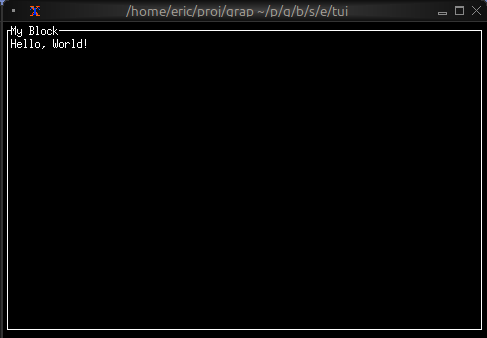
use tui::{line, block::block, paragraph::paragraph};

let content = paragraph(&"Hello, World!");

block(
    #border: &`All,
    #title: &line("My Block"),
    &content
)
Focus Indication
Use dynamic styling to show which block has focus; Tab moves it:
use tui::{
line, style,
block::block,
input_handler::{Event, input_handler, on_press},
layout::{child, layout},
paragraph::paragraph
};
let focused = 0;
let handle_event = |e: Event| on_press(e, |k| select k.code {
k@`Tab => {
focused <- ((k ~ focused) + 1) % 2;
`Stop
},
_ => `Continue
});
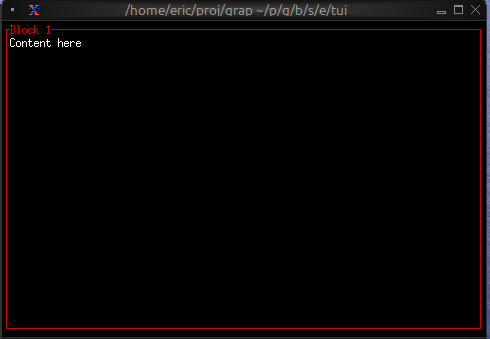
let pane = |i, title| block(
#border: &`All,
#border_style: &style(#fg: select focused { n if n == i => `Red, _ => `Yellow }),
#title: &line(title),
¶graph(&"Tab moves the focus")
);
input_handler(
#handle: &handle_event,
&layout(
#direction: &`Horizontal,
&[
child(#constraint: `Percentage(50), pane(0, "Block 1")),
child(#constraint: `Percentage(50), pane(1, "Block 2"))
]
)
)
Dynamic Titles
Titles can contain reactive values that update automatically:
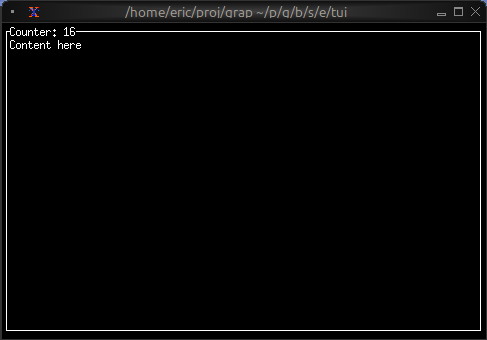
use tui::{line, block::block, paragraph::paragraph};

let count = count(sys::time::timer(duration:1.s, true));

let content = paragraph(&"Content here");

block(
    #border: &`All,
    #title: &line("Counter: [count]"),
    &content
)