The Table Widget
The table widget displays structured data in rows and columns with support for selection, scrolling, and custom styling. It’s ideal for data grids, process monitors, file listings, and any tabular data display.
Interface
type Cell = {
  content: Line,
  style: [Style, null]
};

val cell: fn(
  ?#style: [Style, null],
  Line
) -> Cell;

type Row = {
  bottom_margin: [i64, null],
  cells: Array<Cell>,
  height: [i64, null],
  style: [Style, null],
  top_margin: [i64, null]
};

val row: fn(
  ?#bottom_margin: [i64, null],
  ?#height: [i64, null],
  ?#style: [Style, null],
  ?#top_margin: [i64, null],
  Array<Cell>
) -> Row;

val table: fn(
  ?#cell_highlight_style: &[Style, null],
  ?#column_highlight_style: &[Style, null],
  ?#column_spacing: &[i64, null],
  ?#flex: &[Flex, null],
  ?#footer: &[Row, null],
  ?#header: &[Row, null],
  ?#highlight_spacing: &[HighlightSpacing, null],
  ?#highlight_symbol: &[string, null],
  ?#row_highlight_style: &[Style, null],
  ?#selected: &[i64, null],
  ?#selected_cell: &[{x: i64, y: i64}, null],
  ?#selected_column: &[i64, null],
  ?#style: &[Style, null],
  ?#widths: &[Array<Constraint>, null],
  &Array<&Row>
) -> Tui;
Parameters
- header - Row object for the table header
- selected - Index of the currently selected row
- row_highlight_style - Style for the selected row
- highlight_symbol - String before selected row
- highlight_spacing - When to show highlight symbol:
Always,WhenSelected,Never - widths - Array of column width constraints
- column_spacing - Number of spaces between columns
- style - Base style for the table
Examples
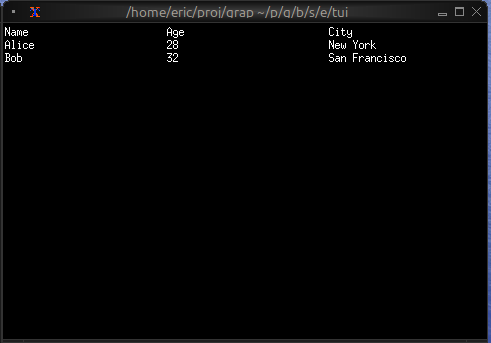
Basic Usage
use tui;
use tui::table;

let header = row([
    cell(line("Name")),
    cell(line("Age")),
    cell(line("City"))
]);

let row1 = row([
    cell(line("Alice")),
    cell(line("28")),
    cell(line("New York"))
]);

let row2 = row([
    cell(line("Bob")),
    cell(line("32")),
    cell(line("San Francisco"))
]);

table(
    #header: &header,
    #selected: &0,
    &[&row1, &row2]
)
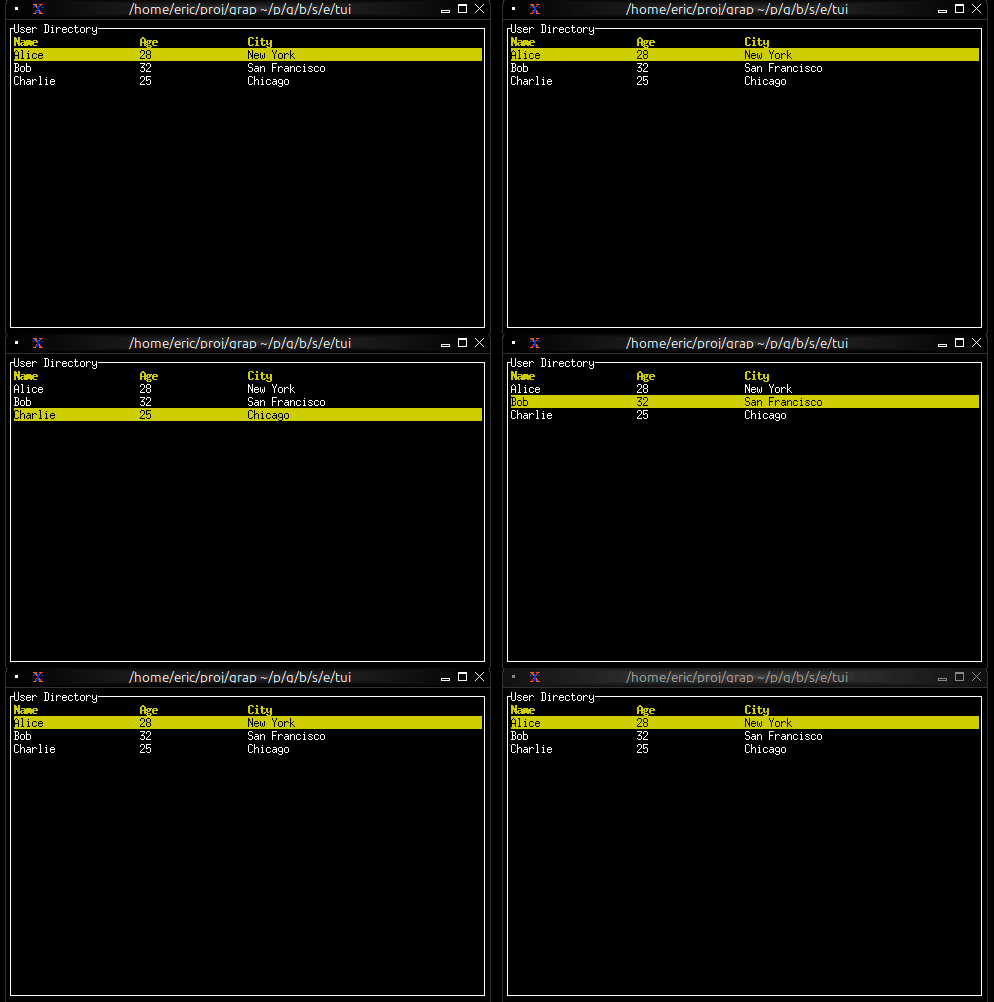
Interactive Table
use tui;
use tui::table;
use tui::block;
use tui::text;
use tui::input_handler;

type User = {name: string, age: i64, city: string};

let users: Array<User> = [
    {name: "Alice", age: 28, city: "New York"},
    {name: "Bob", age: 32, city: "San Francisco"},
    {name: "Charlie", age: 25, city: "Chicago"}
];

let header = row(
    #style: style(#fg: `Yellow, #add_modifier: [`Bold]),
    [cell(line("Name")), cell(line("Age")), cell(line("City"))]
);

let row1 = row([
    cell(line("Alice")),
    cell(line("28")),
    cell(line("New York"))
]);
let row2 = row([
    cell(line("Bob")),
    cell(line("32")),
    cell(line("San Francisco"))
]);
let row3 = row([
    cell(line("Charlie")),
    cell(line("25")),
    cell(line("Chicago"))
]);
let rows = [&row1, &row2, &row3];

let selected = 0;

let handle_event = |e: Event| -> [`Stop, `Continue] select e {
    `Key(k) => select k.kind {
        `Press => select k.code {
            k@`Up if selected > 0 => {
                selected <- (k ~ selected) - 1;
                `Stop
            },
            k@`Down if selected < 2 => {
                selected <- (k ~ selected) + 1;
                `Stop
            },
            _ => `Continue
        },
        _ => `Continue
    },
    _ => `Continue
};

input_handler(
    #handle: &handle_event,
    &block(
        #border: &`All,
        #title: &line("User Directory"),
        &table(
            #header: &header,
            #row_highlight_style: &style(#bg: `Yellow, #fg: `Black),
            #selected: &selected,
            #column_spacing: &2,
            #widths: &[`Percentage(30), `Percentage(20), `Percentage(50)],
            &rows
        )
    )
)
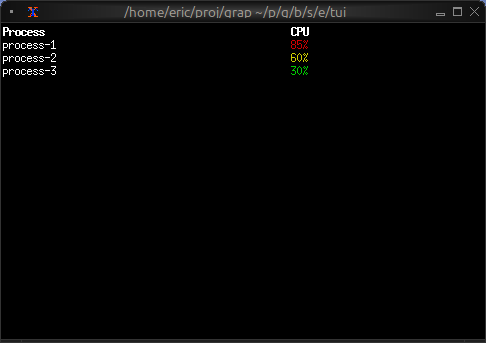
Conditional Cell Styling
use tui;
use tui::table;
use tui::text;

let make_cpu_cell = |cpu| {
    let s = select cpu {
        c if c > 80 => style(#fg: `Red),
        c if c > 50 => style(#fg: `Yellow),
        _ => style(#fg: `Green)
    };
    cell(#style: s, line("[cpu]%"))
};

let row1 = row([
    cell(line("process-1")),
    make_cpu_cell(85)  // Red
]);

let row2 = row([
    cell(line("process-2")),
    make_cpu_cell(60)  // Yellow
]);

let row3 = row([
    cell(line("process-3")),
    make_cpu_cell(30)  // Green
]);

let header = row([
    cell(#style: style(#add_modifier: [`Bold]), line("Process")),
    cell(#style: style(#add_modifier: [`Bold]), line("CPU"))
]);

table(
    #header: &header,
    #widths: &[`Percentage(60), `Percentage(40)],
    &[&row1, &row2, &row3]
)
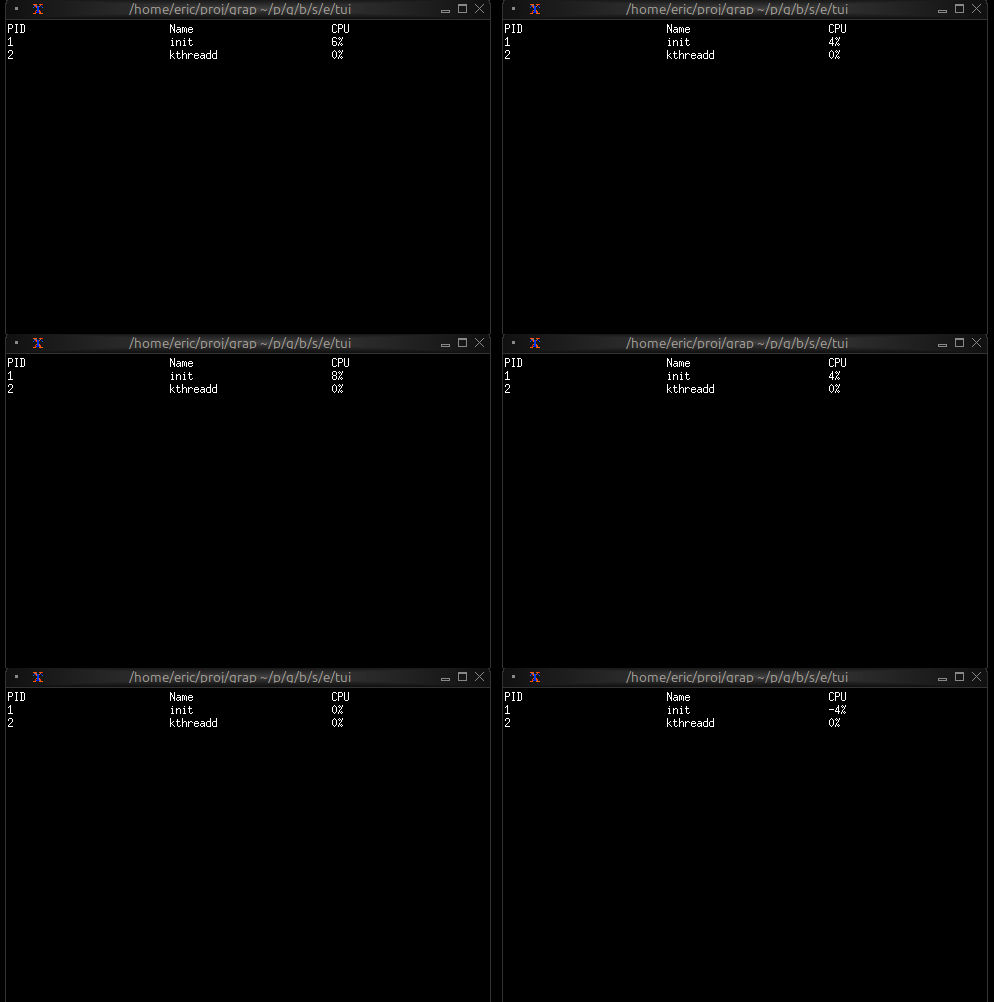
Real-time Updates
use tui;
use tui::table;
use tui::text;

let clock = time::timer(duration:1.s, true);

let cpu_val = 5;
cpu_val <- {
    let v = clock ~ cpu_val;
    v + rand::rand(#clock, #start: -5, #end: 5)
};

let row1 = row([
    cell(line("1")),
    cell(line("init")),
    cell(line("[cpu_val]%"))
]);
let row2 = row([
    cell(line("2")),
    cell(line("kthreadd")),
    cell(line("0%"))
]);
let rows = [&row1, &row2];

let header = row([cell(line("PID")), cell(line("Name")), cell(line("CPU"))]);
table(#header: &header, &rows)