The Calendar Widget
The calendar widget displays a monthly calendar view with support for highlighting specific dates and displaying events. It’s perfect for date pickers, event schedulers, and time-based visualizations.
Interface
type Date = {
  year: i64,
  month: i64,
  day: i64
};

val date: fn(i64, i64, i64) -> Date;

type CalendarEvent = {
  date: Date,
  style: Style
};

val calendar_event: fn(Style, Date) -> CalendarEvent;

val calendar: fn(
  ?#default_style: &[Style, null],
  ?#show_month: &[Style, null],
  ?#show_surrounding: &[Style, null],
  ?#show_weekday: &[Style, null],
  ?#events: &[Array<CalendarEvent>, null],
  &Date
) -> Tui;
Parameters
calendar
- show_month - Style for the month header
- show_weekday - Style for weekday headers (Mon, Tue, etc.)
- show_surrounding - Style for dates from surrounding months
- events - Array of CalendarEvent objects to highlight dates
calendar_event
Takes a style and a date to create an event marker.
date
Creates a date with year, month (1-12), and day (1-31).
Examples
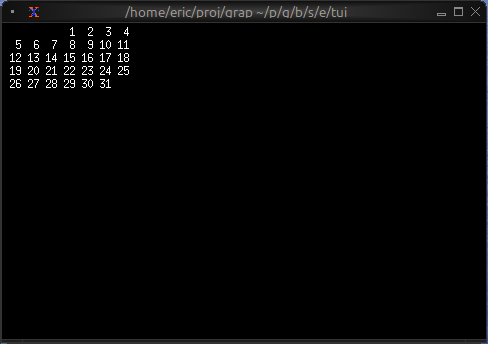
Basic Usage
use tui;
use tui::calendar;
let current_date = date(2024, 5, 15);
calendar(¤t_date)
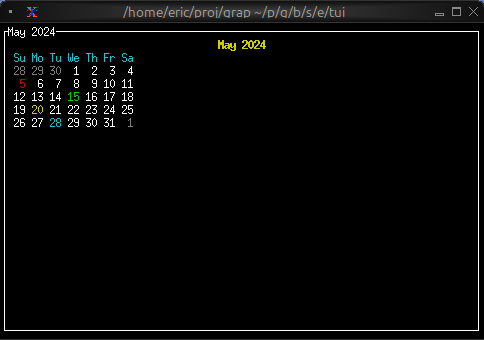
Event Calendar
use tui;
use tui::calendar;
use tui::block;
use tui::text;

let today = date(2024, 5, 15);

let events = [
    calendar_event(style(#fg: `Red), date(2024, 5, 5)),
    calendar_event(style(#fg: `Green), date(2024, 5, 15)),
    calendar_event(style(#fg: `Yellow), date(2024, 5, 20)),
    calendar_event(style(#fg: `Cyan), date(2024, 5, 28))
];

block(
    #border: &`All,
    #title: &line("May 2024"),
    &calendar(
        #show_month: &style(#fg: `Yellow, #add_modifier: [`Bold]),
        #show_weekday: &style(#fg: `Cyan),
        #show_surrounding: &style(#fg: `DarkGray),
        #events: &events,
        &today
    )
)
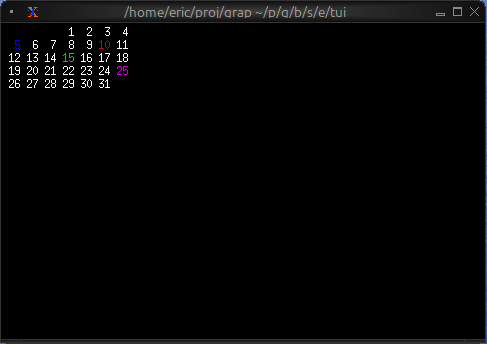
Color-coded Events by Type
use tui;
use tui::calendar;

type EventType = [`Meeting, `Deadline, `Holiday, `Birthday];
type CalendarEntry = {date: Date, event_type: EventType};

let entries = [
    {date: date(2024, 5, 5), event_type: `Meeting},
    {date: date(2024, 5, 10), event_type: `Deadline},
    {date: date(2024, 5, 15), event_type: `Holiday},
    {date: date(2024, 5, 25), event_type: `Birthday}
];

let event1 = calendar_event(style(#fg: `Blue), date(2024, 5, 5));
let event2 = calendar_event(style(#fg: `Red), date(2024, 5, 10));
let event3 = calendar_event(style(#fg: `Green), date(2024, 5, 15));
let event4 = calendar_event(style(#fg: `Magenta), date(2024, 5, 25));
let events = [event1, event2, event3, event4];

calendar(#events: &events, &date(2024, 5, 1))